
Your notebooks
Your shelf
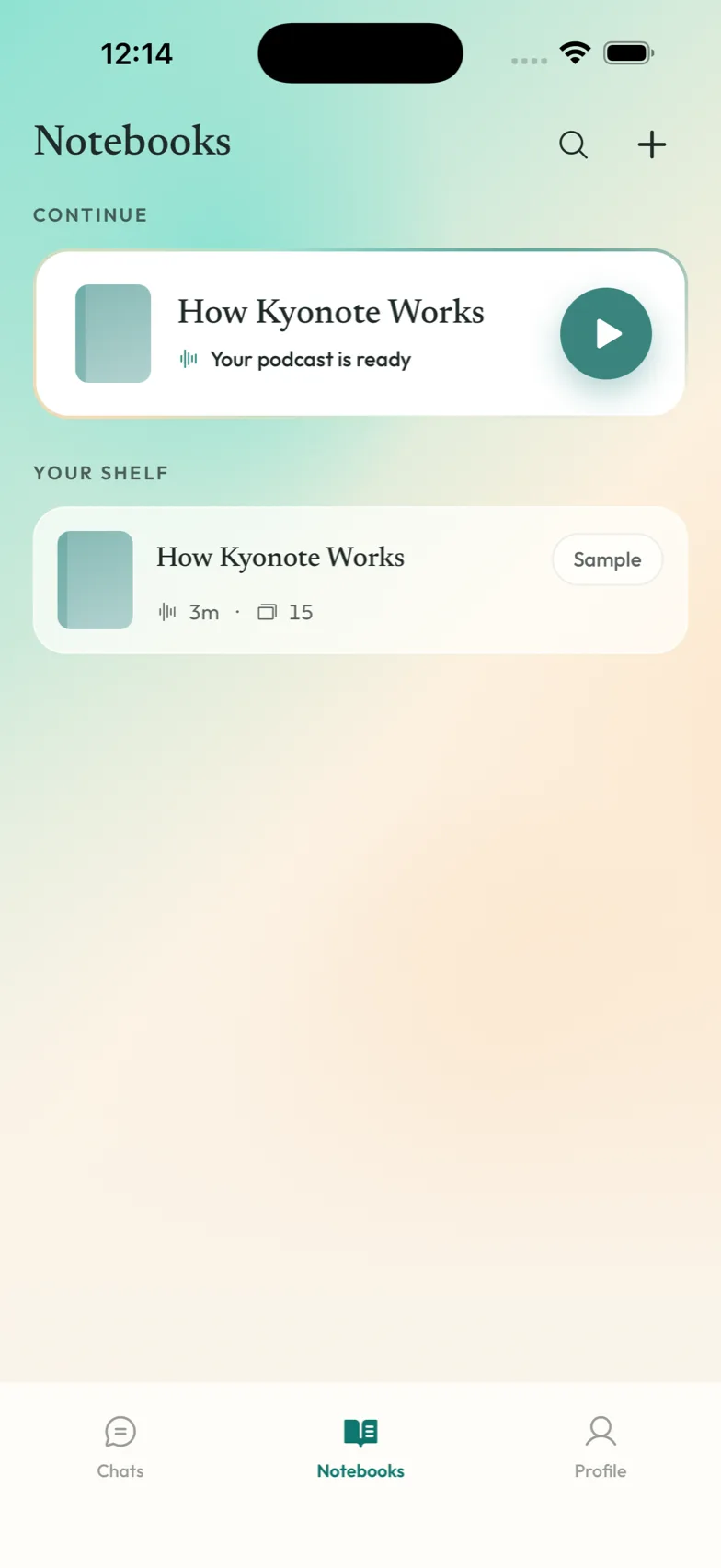
Your shelf is the Kyonote home screen: every notebook you own, in one place. One notebook per subject is the shape that works — a term of Molecular Biology in one, everything for the exam in another.
What's on it
- Continue sits at the top, but only when you're actually mid-listen. If you're not in the middle of anything, it isn't there — an empty box is worse than no box.
- Your shelf lists your notebooks. Each row shows its colour, its name, and what's ready inside it.
- Search reaches across notebooks, files, and what's inside them.
- New (the ⊕) creates a notebook straight away and drops you into it.
How to actually use it
- One subject, one notebook. Kyonote reads across every file in a notebook together, so what you put in the same place gets studied together.
- Swipe a notebook to archive it. Finished with a module? Get it off the shelf — it's still there when you want it.
- Name things the way you'd say them out loud. You're searching your own words later.
Pair it with the other tools
- Put files in with add files.
- Then pick a way to study from study tools.